 ClipVigil
A clipboard manager for developers: transform it, then paste it.
Copy a JWT from a log, press ⌘K, decode it, paste the payload. JSON, Base64, URLs, timestamps and case, without leaving the keyboard or opening a website. And when what you copied is an API key, ClipVigil guards it.
Copy, ⌘K, paste.
Copy anything
A log line, a response body, a token from a dashboard. ClipVigil keeps it in the panel, and guards it if it looks like a secret.
Open the panel
⇧⌘V, then ↑ ↓ to the item. Type to search, or narrow with type:json, app:Xcode or is:secret.
Press ⌘K
Type a few letters to filter the actions. A live preview shows the result before anything is pasted.
Paste or copy
↵ transforms and pastes. ⌥↵ transforms and only copies. The original stays in your history.
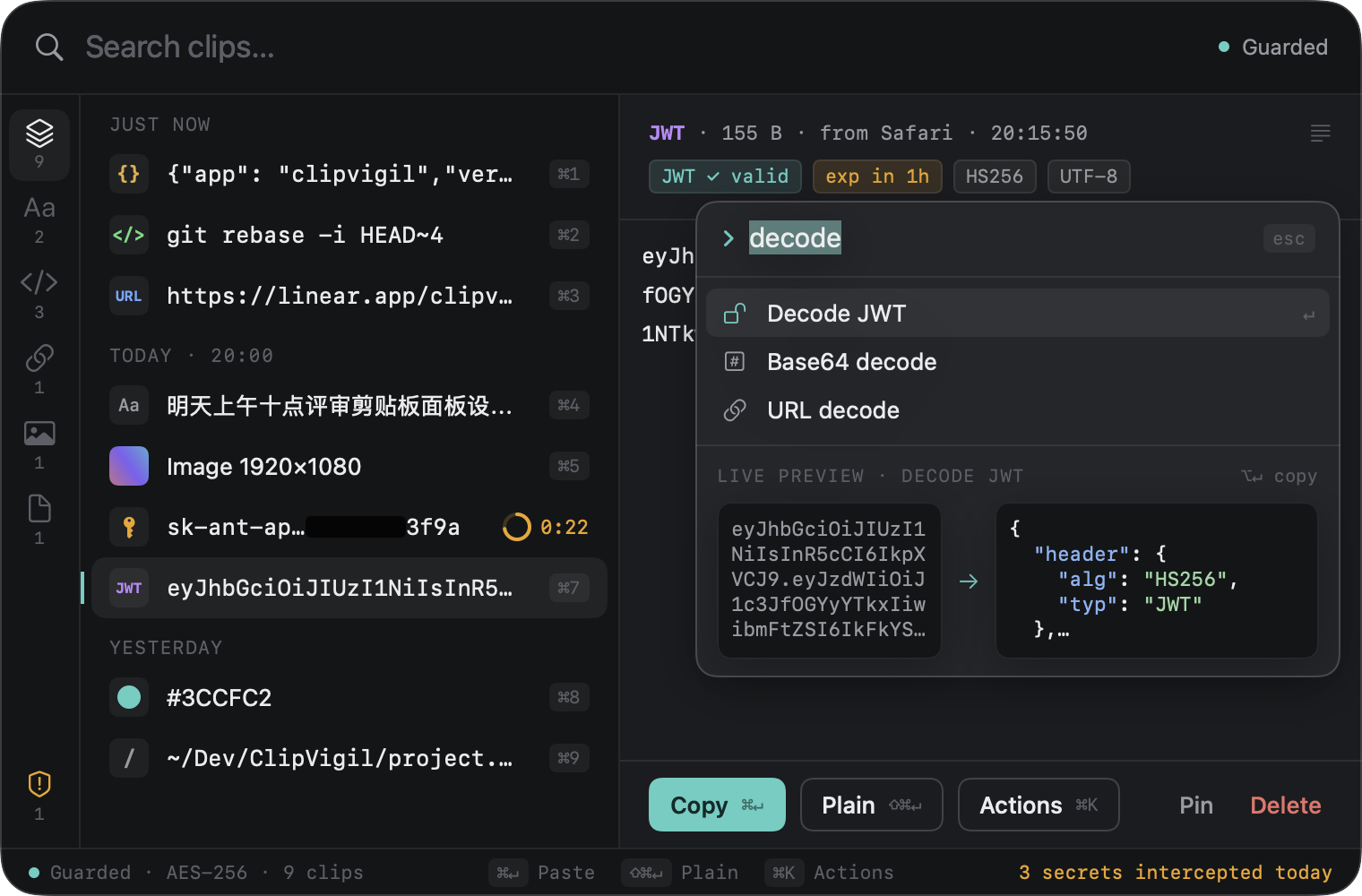
What ⌘K can do
| Action | Example |
|---|---|
| Format or minify JSON | {"a":1,"b":[2,3]} → indented, or back to one line |
| Decode a JWT | eyJhbGciOiJIUzI1NiJ9… → header and payload as JSON, with expiry |
| Base64 encode / decode | clipvigil ↔ Y2xpcHZpZ2ls |
| URL encode / decode | a b&c=d ↔ a%20b%26c%3Dd |
| Timestamp ↔ ISO 8601 | 1731420131 ↔ 2024-11-12T14:02:11Z (seconds or milliseconds, detected) |
| Case conversion | userAccountId → user_account_id → user-account-id |
| Paste as plain text | ⇧⌘↵ strips formatting from rich text |
You will copy credentials. ClipVigil expects it.
Developers copy tokens, keys and connection strings all day. ClipVigil recognises them on your Mac, shows only the prefix and last four characters, keeps them out of search, and destroys them after 30 seconds by default, or never records them. Items that password managers mark as concealed are skipped before ClipVigil reads them. History is encrypted with SQLCipher and the panel stays out of screen shares, so a demo does not leak your last export.
How the secret rules work Does clipboard history leak API keys?
$19.99 once. 14 days free first.
Every transform above is part of Pro and of the 14-day trial. In basic mode ⌘K asks you to upgrade, while all secret protection stays on.